
macOS
Download ReLimit from the Mac App Store. Purchase inside the app using Apple Pay, or activate with a software key.
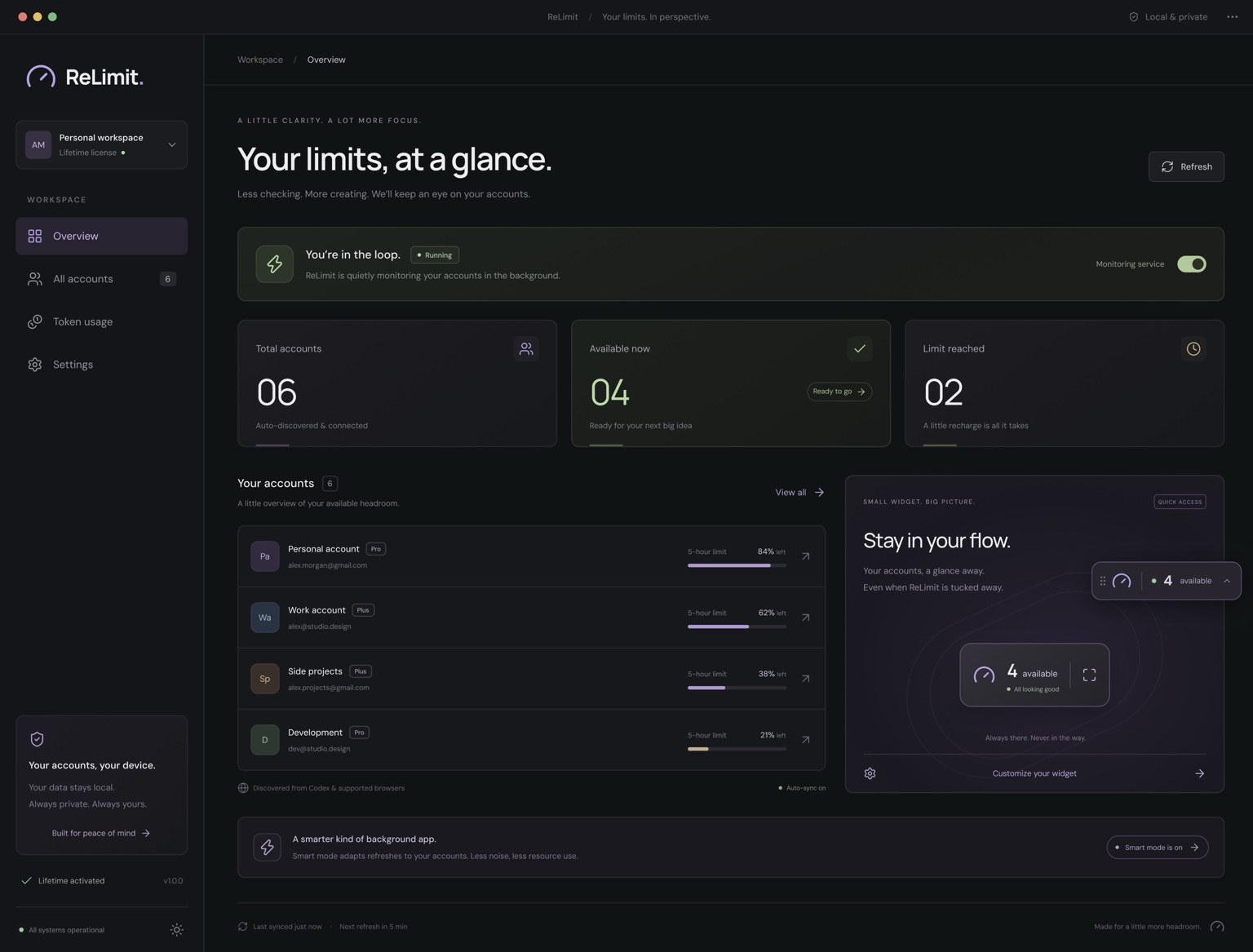
Download on the Mac App StoreMeet ReLimit — a quiet companion that helps you keep track of account limits, monitor token usage, and know when you're ready to go again.
Available for macOS and Windows · $10 one-time lifetime access
ReLimit is available for macOS and Windows. Select your operating system to get started.
Download ReLimit from the Mac App Store. Purchase inside the app using Apple Pay, or activate with a software key.
Download on the Mac App StoreInstall ReLimit for Windows and activate with a software key.
Windows download — link coming soonReLimit brings supported account limits and usage information into one organized workspace, so you can spend less time checking balances and more time doing meaningful work.
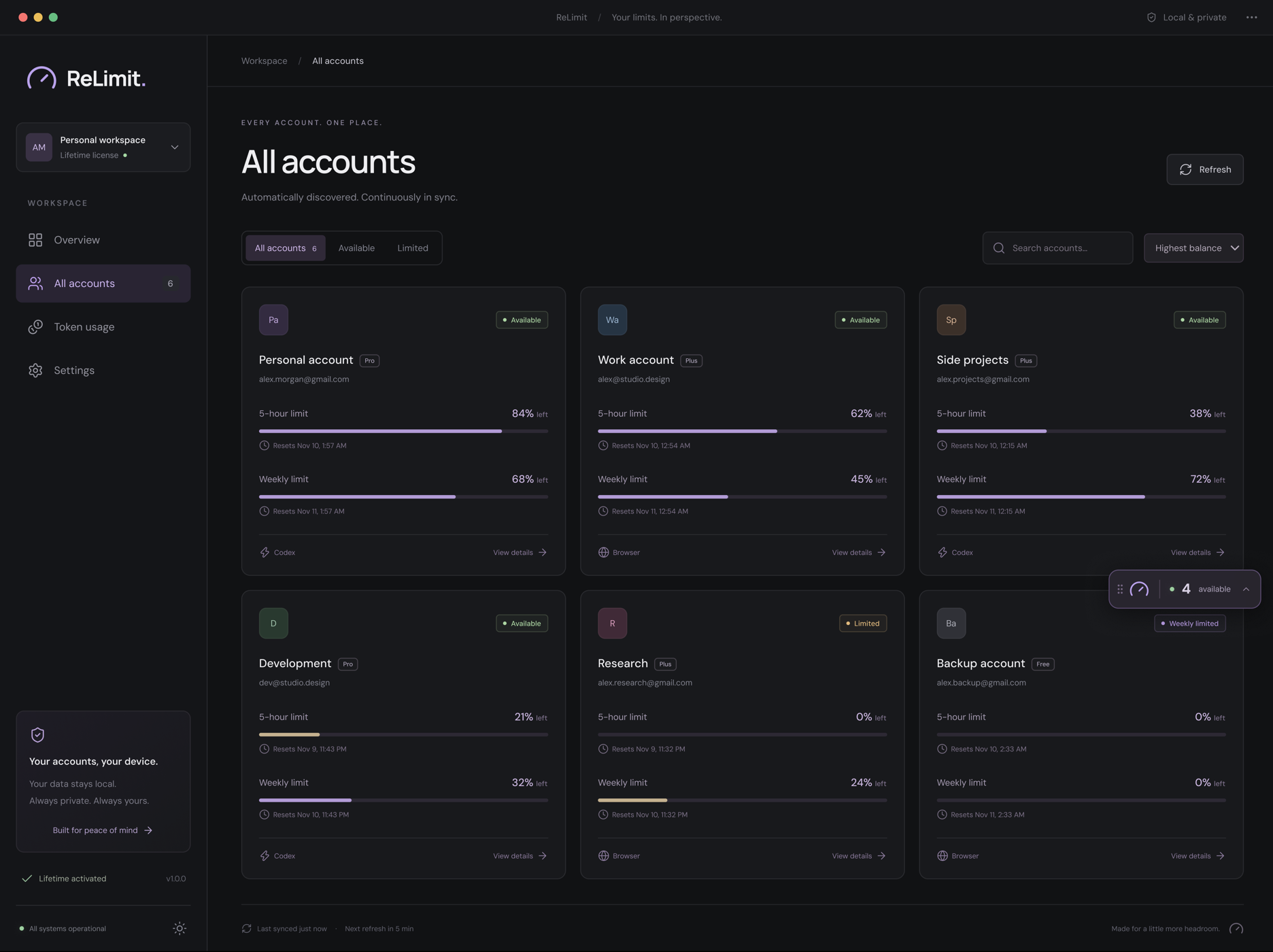
View supported accounts together and see which are available or approaching their limits.
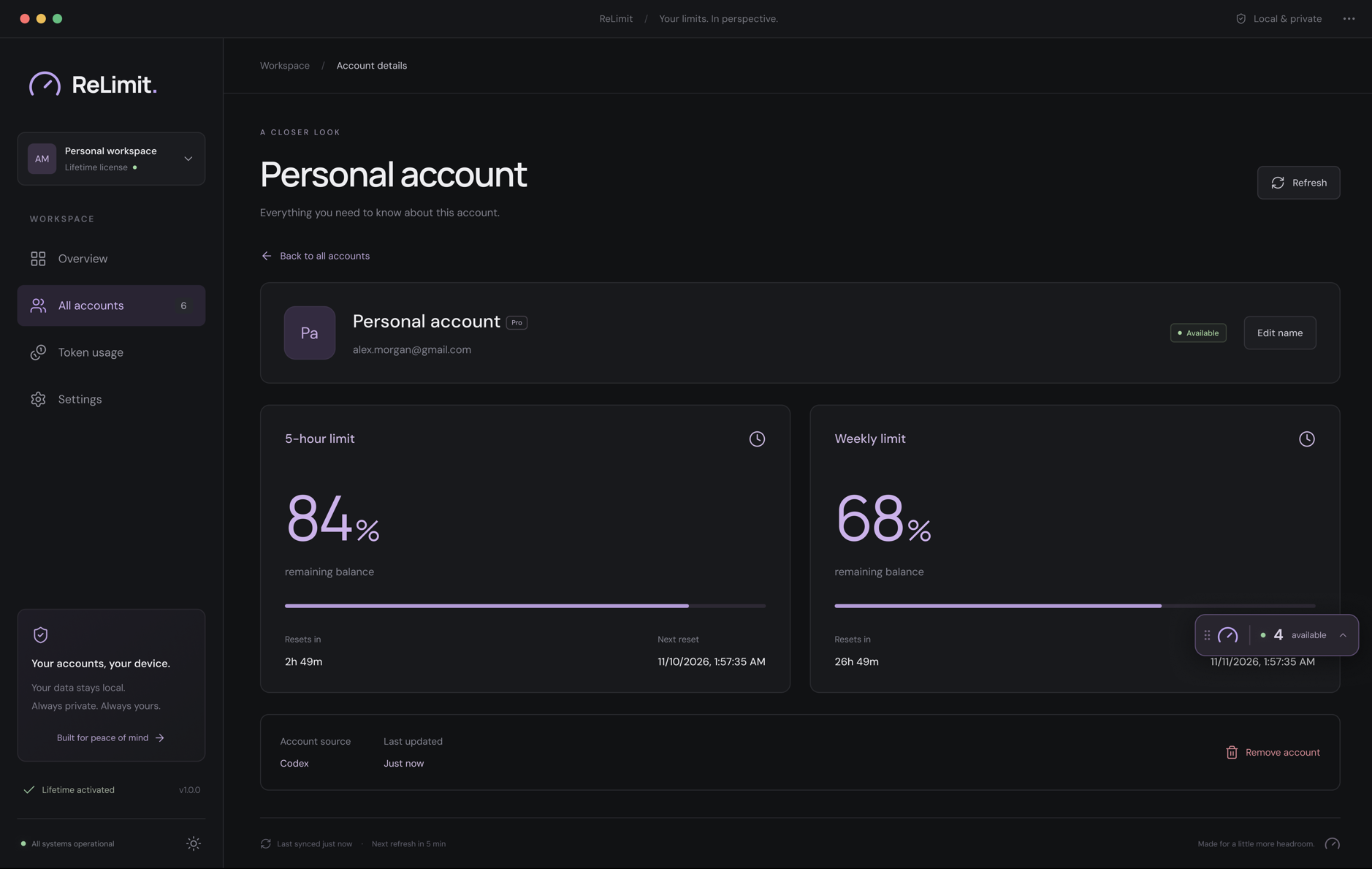
Check remaining 5-hour and weekly limits, with reset information at a glance.
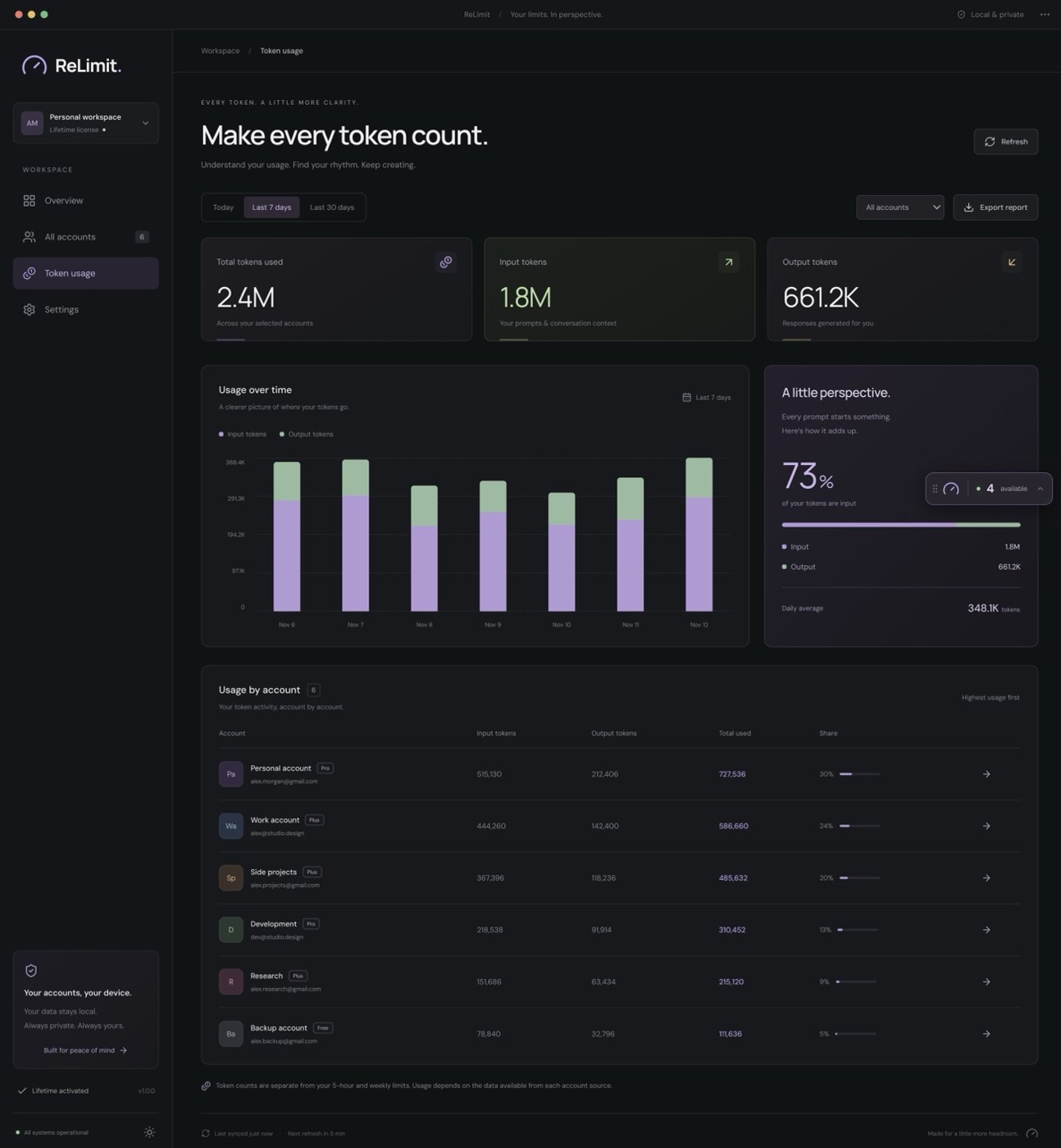
Explore input and output token usage, trends over time, and account-level breakdowns.
Keep a compact view of account availability nearby while you work.
Configure alerts for availability, reached limits, and upcoming resets.
A streamlined desktop experience with monitoring controls that fit your workflow.
A focused desktop experience, with the information you need and none of the noise.
Get lifetime access to ReLimit for a single $10 payment. No monthly or annual subscriptions.
Available on macOS and Windows. Choose the purchase method that works for you.
One-time payment
Lifetime access
No monthly or yearly subscriptions
For Windows and macOS. Activate ReLimit using a purchased software key. Available for Windows and macOS.
Software key purchase link — coming soonOn macOS, purchase lifetime access directly inside ReLimit using Apple Pay.
Get the macOS AppWindows download and software key purchase links will be added when available.
ReLimit is designed for desktop use. Supported OS versions and hardware requirements will be published once confirmed for each release.
Available through the Mac App Store. Check the listing for the current minimum macOS version and device compatibility.
View App Store requirementsWindows version is planned for distribution. Minimum Windows version and installation requirements are pending confirmation.
No. Lifetime access costs $10 as a one-time purchase, with no monthly or annual subscription.
Yes. Apple Pay is available directly inside the macOS app.
Software key activation is supported for both platforms. The purchase link will be added when available.
The macOS app is available on the App Store. The Windows download link will be added when provided.
Device limits and license transfer rules will be published before the software-key store opens. Contact support for licensing questions.
Software key purchasing and delivery instructions will be provided when the purchase link is available.
Refund eligibility depends on the purchase channel and the applicable terms. The final refund policy will be published before software key purchases become available.
ReLimit is designed for macOS and Windows. See the compatibility section for release-specific requirements.
For product questions, software key purchases, licensing, or business inquiries, contact the ReLimit team.
Product: ReLimit
Business / legal entity: [Add registered company name]
Business location: [Add business country / address]
Support email: relimitsupport@gmail.com